
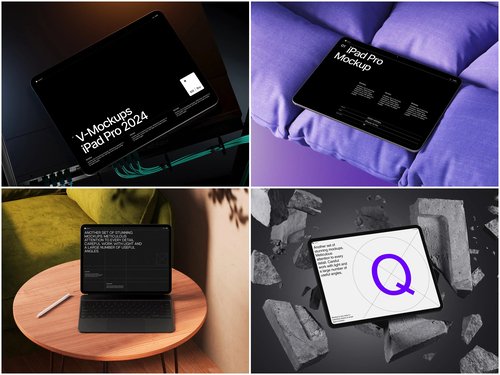
Modern apps are no longer just monolithic experiences you open and close. With Apple’s introduction of App Clips and Home Screen Widgets, developers now ship fragments of functionality — tiny, purposeful micro-experiences that work in seconds. Marketing these mini-features is a unique challenge. You can’t just screenshot a widget and call it done. You need context, scale, and visual storytelling. That’s where iPad mockup templates become indispensable.
Why Mini-Features Demand Different Marketing Visuals
App Clips launch instantly from QR codes, NFC tags, or Safari banners. Widgets live passively on someone’s Home Screen, glanceable and ambient. Neither of these experiences fits neatly into a traditional app store screenshot.
What makes these features click visually is showing them in real spatial context:
- A weather widget displayed on an iPad sitting on a morning desk beside a coffee cup
- A restaurant App Clip rendered on a tablet propped against a menu stand
- A fitness tracking widget shown on an iPad mounted on a gym wall, its activity rings glowing against a clean white background
The iPad’s larger canvas compared to iPhone actually works in your favor here. Widgets scale up beautifully on tablet screens, making their typography and data hierarchy easier to read and appreciate. App Clips, shown on an iPad in a lifestyle scene, communicate immediacy and ease without a word of copy.
The Craft of Contextual Presentation
There’s a psychological principle at play: people don’t buy features, they buy moments. When a marketing visual shows an iPad productivity widget mid-workflow — numbers updating on a dashboard widget while a user’s hands hover nearby — it sells the feeling of control, not just a UI element.
Effective mockup compositions for mini-features typically:
- Use angled flat-lay perspectives to show the full widget layout clearly
- Place the device in an environment relevant to the app’s core use case
- Keep backgrounds clean enough that the widget’s color scheme reads instantly
- Leverage multiple device angles to demonstrate both landscape and portrait widget variants
For App Clips specifically, pairing an iPad mockup with a visual trigger (a rendered QR code on a physical prop, for instance) helps audiences immediately understand the mechanic — no explanation required.
Real-Life Use of iPad Mockups in Practice
App Clip for a coffee shop loyalty program: A specialty café chain needed to showcase their App Clip — letting customers scan a table tag and instantly earn loyalty points without downloading the app. Using an angled iPad mockup placed on a wooden café table, their marketing team visualized the scan-to-reward moment. The mockup made the “no download needed” value proposition instantly readable in a single image.
Home Screen Widget for a meditation app: To market their new daily-intention widget, a mindfulness brand placed it inside a morning flat-lay iPad mockup — linen surface, warm light, no distractions. The widget’s soft typography and pastel palette read beautifully at tablet scale. This became their primary creative for App Store promotional banners.
App Clip for contactless hotel check-in: A hospitality tech company demonstrated their check-in App Clip using an iPad mockup styled in a clean, minimal lobby aesthetic. The scene communicated the entire user journey — arrive, scan, enter — without a single line of explanatory text.
Productivity Widget for a task manager: A GTD-style app showcased their focus-mode widget using an isometric iPad mockup inside a desk setup scene. The widget’s task-count display and priority flags were immediately legible, making the product’s core promise — clarity at a glance — self-evident in the visual.
In every case, the mockup did the explaining that copy couldn’t. A well-chosen scene, angle, and context collapsed the gap between “what this feature does” and “why someone would want it” — turning a UI detail into an instantly felt benefit.
iPad Mockups on ls.graphics
ls.graphics offers a standout collection of iPad mockups built for exactly this kind of professional marketing work. Their templates feature ultra-realistic rendering and premium quality that holds up at any resolution. Files come with organized, clearly labeled layers so swapping in your widget or App Clip UI takes minutes, not hours. The collection spans many angles — flat lays, isometric, hand-held, and upright — along with multiple color styles from light to dark. Compositions are stylishly minimalistic, keeping your product the focus. The Edit Online feature lets you preview designs directly in-browser, and a generous selection of free scenes means you can test quality before committing.
Conclusion
Mini-features like App Clips and Widgets represent the future of ambient, frictionless software — and marketing them requires visuals that match their elegance. A great mockup doesn’t just frame your UI; it narrates the moment your product fits into someone’s life. Whether you’re launching a glanceable dashboard widget or a tap-and-go App Clip, the right iPad scene transforms a screenshot into a story. Start exploring what’s possible with the professional-grade templates at ls.graphics — your mini-feature deserves full-scale presentation.